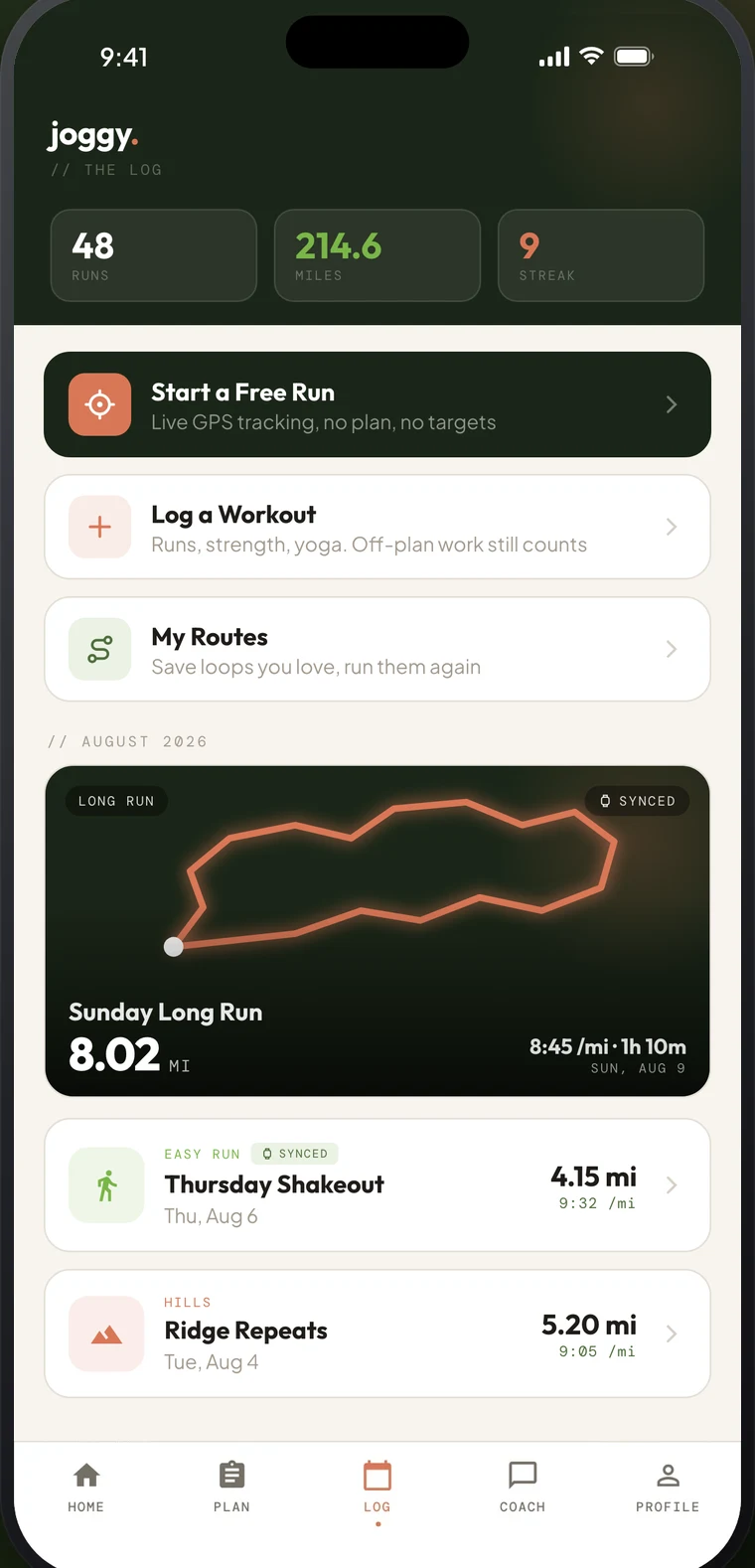
What does the Joggy Log track?
The Log tracks your total miles, number of runs and current streak for the week, the month or all time, and lists every run below, with its photo and route. Patches mark the milestones along the way, like your first run, your first full week and your first 5K.
What do I see after each run?
After every run, Joggy reads it back to you: your stats, your pace against the target, a note in joggy's voice and a fun fact, free for everyone. With joggy Club you get a full recap: a written read on the run with a note on your next session, how it compares to your recent runs, personal bests, pace over distance and splits, plus heart rate, elevation and running form when your watch recorded them.
How does the Log help me see progress?
Seeing the runs pile up week after week is the point: consistency is what makes beginners faster, and a log makes it visible. Why consistency beats intensity explains the maths, and how to start a running streak covers keeping it going. With joggy Club, the runs in your log also feed your race prediction, which sharpens every week you train.
Does it work with my watch?
Yes. Joggy has an Apple Watch companion app and syncs with Apple Health both ways, so runs recorded on your watch arrive in the Log without retyping.
Can I share my runs?
Yes. Share cards turn a run into a see-through Stories image, with four templates (your stats, a line from joggy, a milestone or your route), free for everyone.
Questions people ask about running logs
Is the running log free? Yes. Run logging, history, patches, streaks, the race countdown and the post-run recap are all free. joggy Club adds the full recap and race prediction. See pricing.
What should I log as a beginner? Every run, including the short ones and the ones with walk breaks. A twenty-minute shuffle in the rain still counts. Your training plan and the AI coach both read from it.